Git Synchronization
Git synchronization works only with repositories in the app's private storage, because of Android storage restrictions.
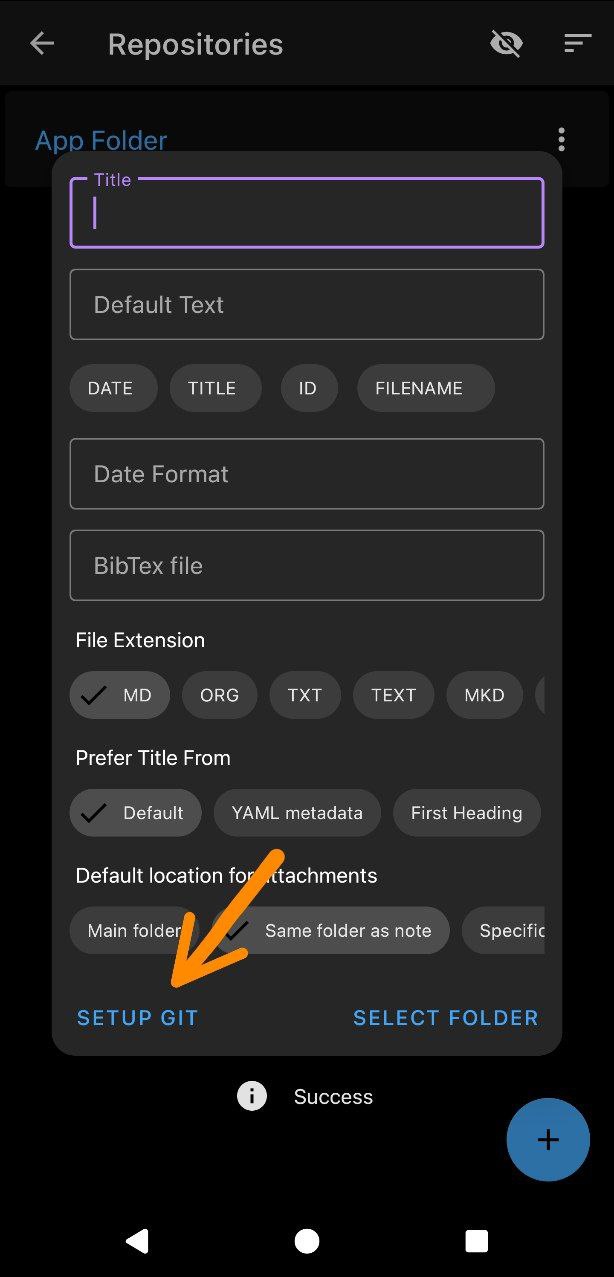
To set it up, select Setup Git when creating a repository.
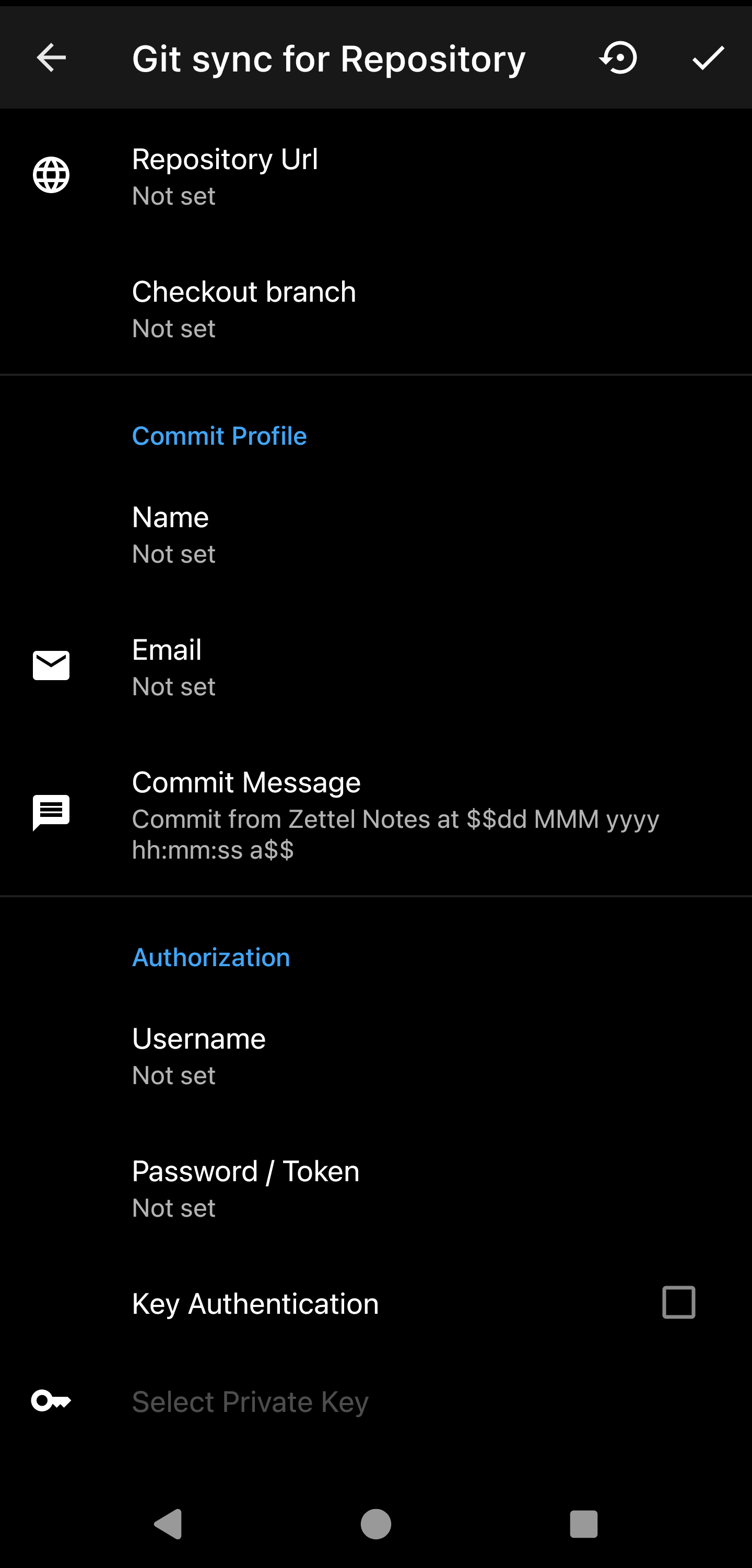
Configure the following:
- Repository Url
- Url of the remote repository.
- Could be
https://..or in the format<username>@<server>:/path/to/repofor SSH.
- Checkout Branch
- The git branch which contains your note files (should exist on remote server).
- If no checkout branch is set then the default remote origin branch is chosen.
- Commit profile
- Enter name and email of committer
- Commit message
- You can modify the commit message. It can contain date format variable (same as in templates).
- Username
- Used for login. For SSH, this should match the username specified in the Repository URL.
- Password or Token
- Enter password or your personal access token
- Key authentication
- Tick if using
sshurl and private keys - You can select
private keyfrom Keys Manager or enter your own key inprivate key - If your private key uses password, then enter it also.
- Tick if using
Tip
For GitHub, use a personal access token instead of your password.
Git settings
.gitignore: edit the repository's.gitignorefrom the Git settings v2.5.7.- Certificates: Git sync trusts both system and user-installed CA certificates, so servers with self-signed certificates work once their CA is installed on the device v2.1.4.
- List Commits: browse the commit history and all branches of the repository.
How sync handles conflicts
When a note changes, the app syncs with the Git server as follows:
- Commit: Any local changes made to the notes are first committed.
- Rebase: The app attempts to rebase the local changes with the changes from the server. This method integrates changes without creating unnecessary merge commits.
- Merge (if rebase fails): If conflicts arise during the rebase, the app falls back to a merge operation to combine the changes.
- Push: All the changes are pushed to the git server.
By default, local changes win when a conflict cannot be merged (Git's "ours" strategy). To change this, see Configure Conflict Resolution.
Demo video
Info
To reset the Git repository, select Reset Repository in the Git settings toolbar.